goose Mobile Access and Native Terminal Support

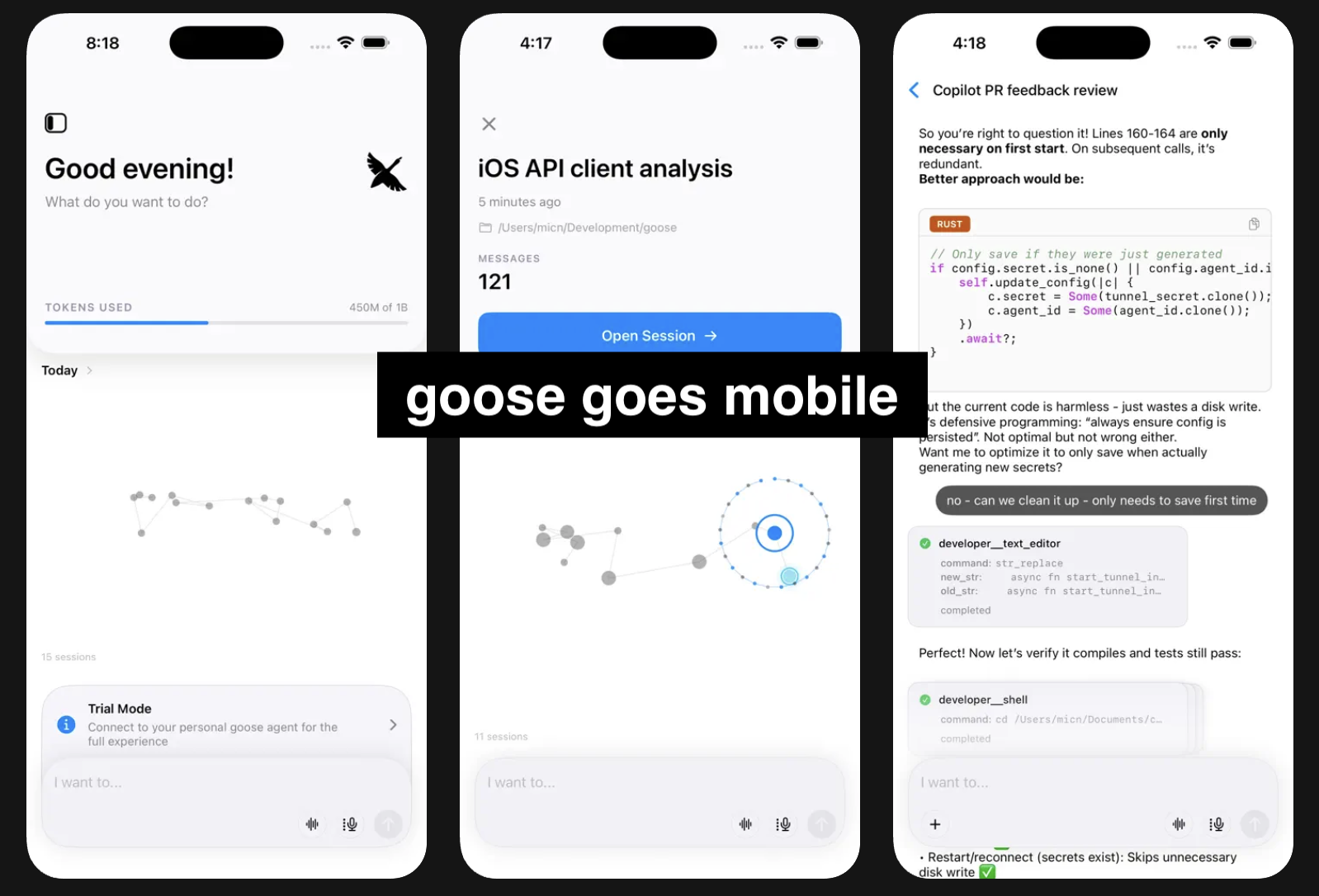
We're excited to announce two new ways to interact with goose: a native iOS app for mobile access and native terminal integration. Both give you more flexibility in how and where you use your AI agent.
goose iOS App
goose is now available on the App Store! The iOS app connects to your desktop goose instance via a secure tunnel, letting you interact with your agent from anywhere.
Getting Started with Mobile
- Install the app - Download goose from the App Store
- Enable remote access - In the goose desktop app, go to App Settings and turn on "Remote Access"
- Scan the QR code - Use the iOS app to scan the QR code displayed in your desktop app
- Start working - You're connected! Your mobile app now tunnels to your goose desktop instance
See the Mobile Access guide for detailed steps.
This means you get the full power of your desktop goose setup—all your extensions and configurations—accessible from your phone. Whether you're on the train, grabbing coffee, or just away from your desk, you can still ask goose to help with tasks or check on long-running things. Throw an idea out there for it to go to work on and pick it up later.
The goose iOS app also runs natively on macOS (Apple Silicon Macs), giving you another lightweight option for accessing your goose instance from another device.
Native Terminal Support
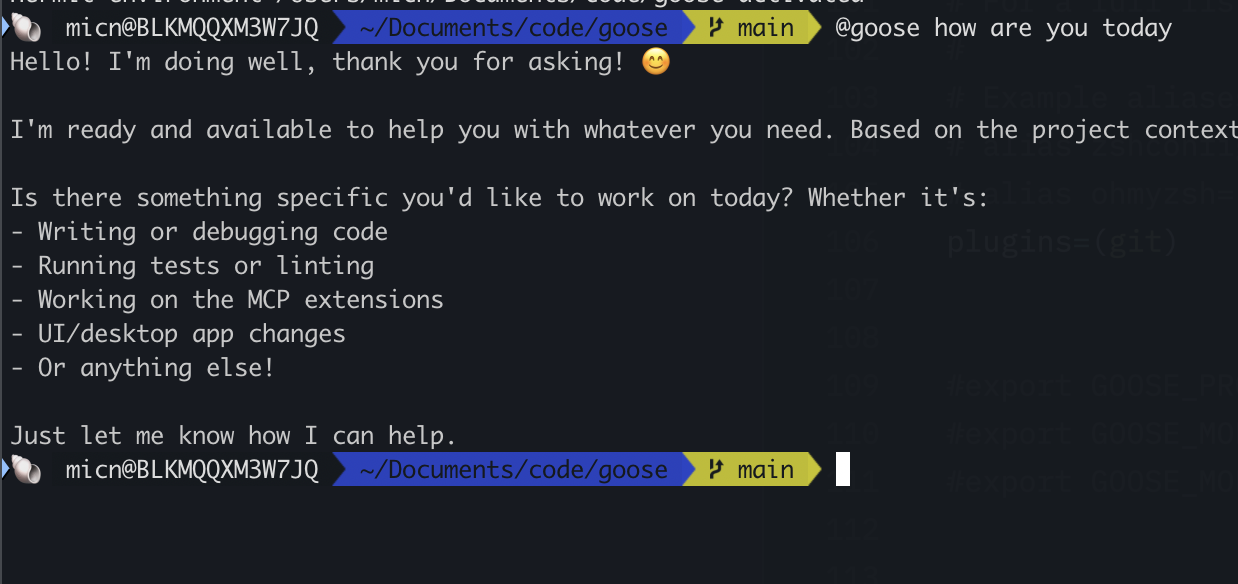
At the other end of things, there is a brand new way to use goose natively in your favoured terminal. No need to switch to another terminal or app or TUI, you can use goose right where you are in your terminal. See the Terminal Integration guide for a guide on how to set it up.
Once set up, you can call @goose from anywhere in your terminal. It automatically manages sessions for you and keeps context with what you've been working on—even when goose isn't running. When you ask it something, it jumps right in and helps with full awareness of your recent work.
Use Goose Your Way
These two new modes—mobile and native terminal—work together with the desktop app to give you seamless access to goose however you prefer to work. A session in goose from native terminal, cli, desktop, IDE and now mobile are all the same set of sessions which can now be accessed from anywhere.
- Mobile lets you access your goose sessions and tasks from anywhere, any time. Start something on your desktop, check in from your phone, pick it back up later.
- Terminal integration means goose is always just a
@gooseaway while you're working in the shell—no context switching needed.
It doesn't matter how you use goose. Your sessions are yours, and you can use and re-use them from anywhere: desktop, terminal, or mobile (and all on your machine).
Try them out and let us know what you think in our Discord!